Getting Started with Wholesale & Volume Pricing
Learn how to integrate the Wezy Wholesale & Volume Pricing app into your Shopify store using native Shopify Functions for maximum performance.
This app uses native Shopify Functions, which means it works perfectly on all Shopify plans (Basic, Advanced, and Plus) with 0ms impact on your store's frontend speed.
Step 1: Installation & Dashboard
To get started, install the app from the Shopify App Store. Unlike legacy apps, Wezy does not inject any code into your liquid themes.
- Visit the Shopify App Store and search for "Wezy Wholesale".
- Click "Add App" and approve the permissions.
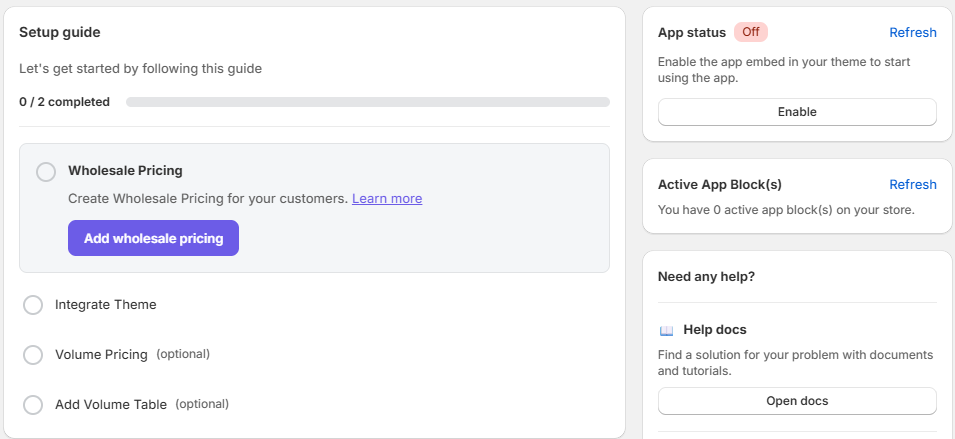
- Once installed, you'll be redirected to the Wezy Dashboard.
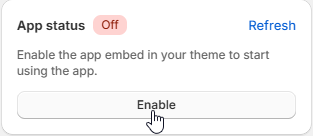
Step 2: Enable App Embed
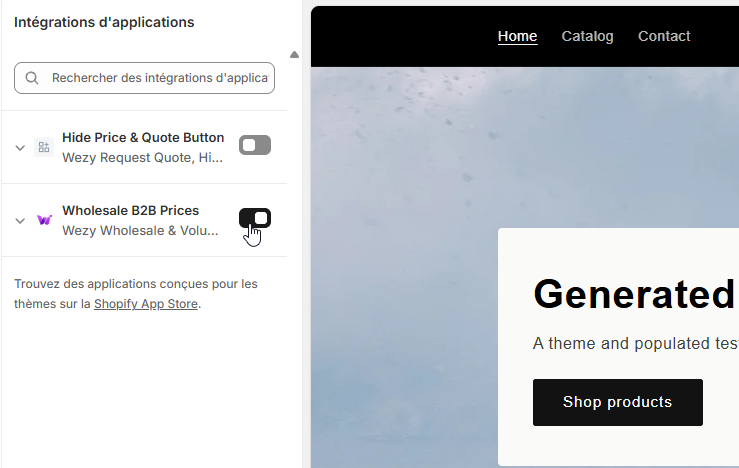
To ensure the app can display wholesale prices and volume discounts natively on your storefront, you must enable the Wezy App Embed in your Shopify Theme Editor. This ensures a 0ms impact on your store's speed.
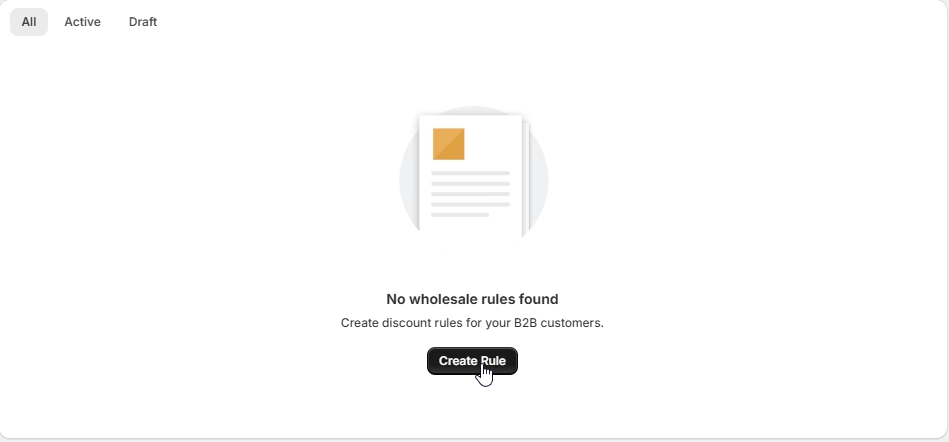
Step 3: Creating your first rule
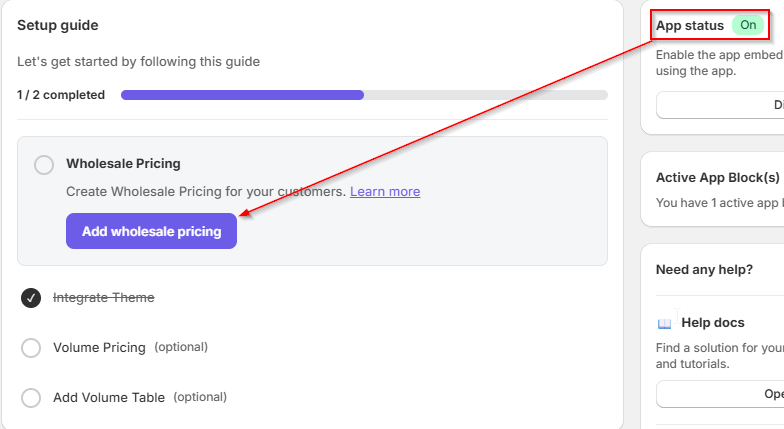
From the Dashboard, you can easily create your first pricing rule using the setup guide. Alternatively, you can use the sidebar to navigate directly to B2B Rules or Volume Pricing.
- Click "Add wholesale pricing" from the Setup Guide directly on your dashboard.
- You can also click on the corresponding action cards for Wholesale or Volume Pricing further down the page.
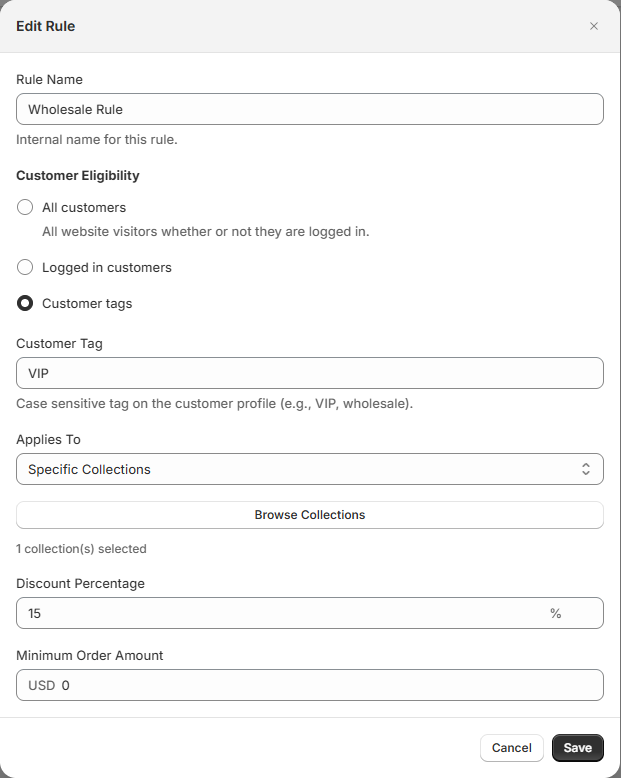
- Configure the logical conditions, requirements, and specific discount values.
- Save the rule to set it live.
Step 4: Check Results
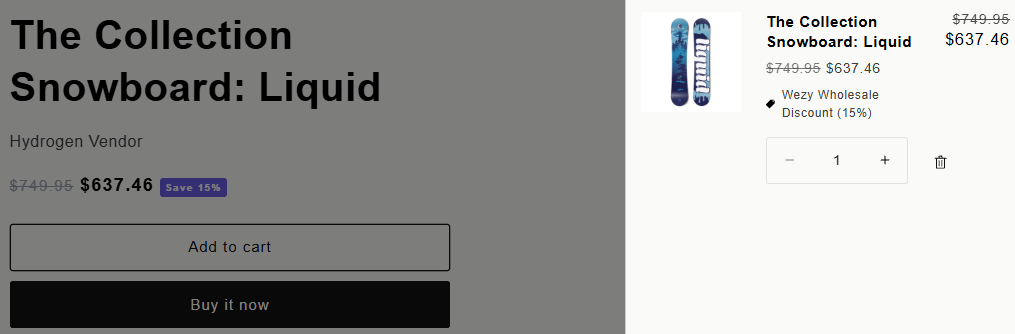
Once your rule is created and active, visit your store with a logged-in customer account that has the required tag. You will instantly see the adjusted wholesale pricing natively injected by Wezy.
Troubleshooting
If discounts are not appearing at checkout, ensure that:
- The customer is logged in and has the correct tag.
- There are no conflicting scripts from legacy B2B apps.
- The app is enabled in your App Embeds settings within the Theme Editor.